TF-BGLIR Sending Box
TF-BGLIR Sending Box
Learn more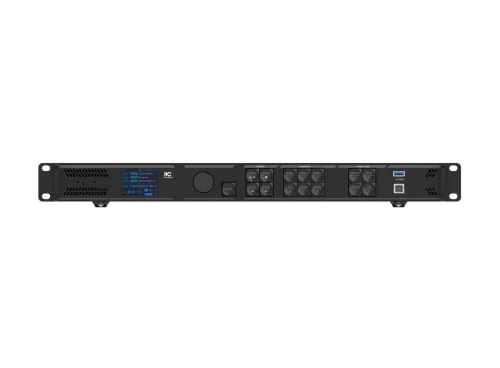
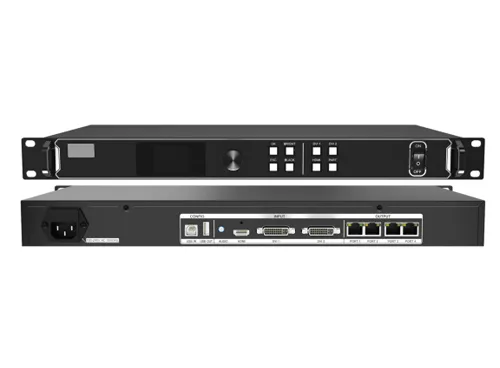
A two-in-one control server that integrates video processing and video control functions. It has high-definition image processing capabilities, powerful video processing and transmission capabilities, can adapt to complex operating environments, and is widely used in mid-to-high- end rental, stage control and engineering small-pitch LED display fields.
| Input interface | |
|---|---|
| HDMI2.0×1 | Maximum supported input resolution is 3840×2160@60Hz, custom resolution is supported, HDCP 1.4 and HDCP 2.2 are supported, and accompanying audio input is supported. |
| HDMI1.3×2 | Maximum supported input resolution is 1920×1080@60Hz, custom resolution is supported, HDCP 1.4 is supported, and accompanying audio input is supported. |
| 3G-SDI×1 | Maximum supported input resolution of 1920×1080@60Hz, and supports ST-424 (3G), ST-292 (HD) and ST-259 (SD) standard video source input |
| AUDIO×1 | Supports 3.5mm standard audio input |
| Output interface | |
| Port×6 | RJ45, 6-channel Gigabit Ethernet output |
| AUDIO×1 | Supports 3.5mm standard audio output |
| HDMI2.0×1 | HDMI loopback output interface |
| 3G-SDI×1 | 3G-SDI loopback output interface |
| HDMI 1.3×1 | Used for previewing output images; fixed output resolution 1920×1080@60Hz |
| OPT×2(Optical) | 2-channel 10G fiber optic interfaces: OPT1 optical port is adaptive for both input and output; OPT2 optical port is for output only, supporting both copy and backup modes during output |
| 3D interface×1 | Using a 3D transmitter and matching 3D glasses, it achieves a 3D display effect |
| Front panel introduction | |
| LCD (2.0 inch) | Resolution: 320×240, displays current device status and menu |
| Knob | Menu selection, parameter adjustment, and confirmation operations |
| Back button | Exit current menu or cancel operation |
| Layer control button | Layer on/off and layer status display |
| Button indicator light | Quick operation and status display for input source |
| Function shortcut key | Scene settings menu button, test screen settings menu button, freeze/thaw output screen button, custom function button |
| USB (square port) x1 | Connect to control computer for device debugging |
| USB 3.0×1 | Supports USB flash drive playback |
| Control interface | |
| ETHERNET×2 | Connect to host computer for cascaded input or output. |
| USB2.0×1 | Upgrade device firmware via USB flash drive. |
| Rs232×1 | 3-pin central control interface for connecting central control device. |
| GENLOCK IN-LOOP×1 | External synchronization signal source |
| LIGHT SENSOR×1 | Connect the light probe to achieve automatic adjustment of the screen brightness. |
| Operating power supply | AC100V~240V,50/60Hz |
| Equipment dimensions | 482.6mm×302.2mm×50.1mm (Length × Width × Height) |
| Equipment net weight | 3.9Kg |
| Rated power | 43W |
Product datasheets are available for download to authorised users only. To obtain a partner account — which grants you access to download any resource on this website — please get in touch through our contact form.